Less back-and-forth. More together.

Find a time. Make it happen.

A team meeting or a weekend away. Share one link, collect availability, and find what works for your group.
No sign-up · Free · Works in your browser

Create. Share. Respond. Confirm.

See how RallyCal works

Three steps from “when?” to “see you there.”

01
Set the possibilities
Choose meeting times or whole days. Keep it as simple as your plans.
02
Send one link
Everyone marks the options they can’t make. No accounts to create.
03
Bring it together
See who’s available, choose an option, and add it to your calendar.

A quick look inside

One shared plan. A few simple clicks.

Choose meeting times or whole days, then paste your invite into a text, email, or group chat. Here’s what happens next.

For everyone invited

Mark what doesn’t work.

Enter your name and mark the times or days you can’t make. Unmarked options count as available. Review your choices, then select Send my availability.

Drafts save as you go, but your answer only counts after you send it.
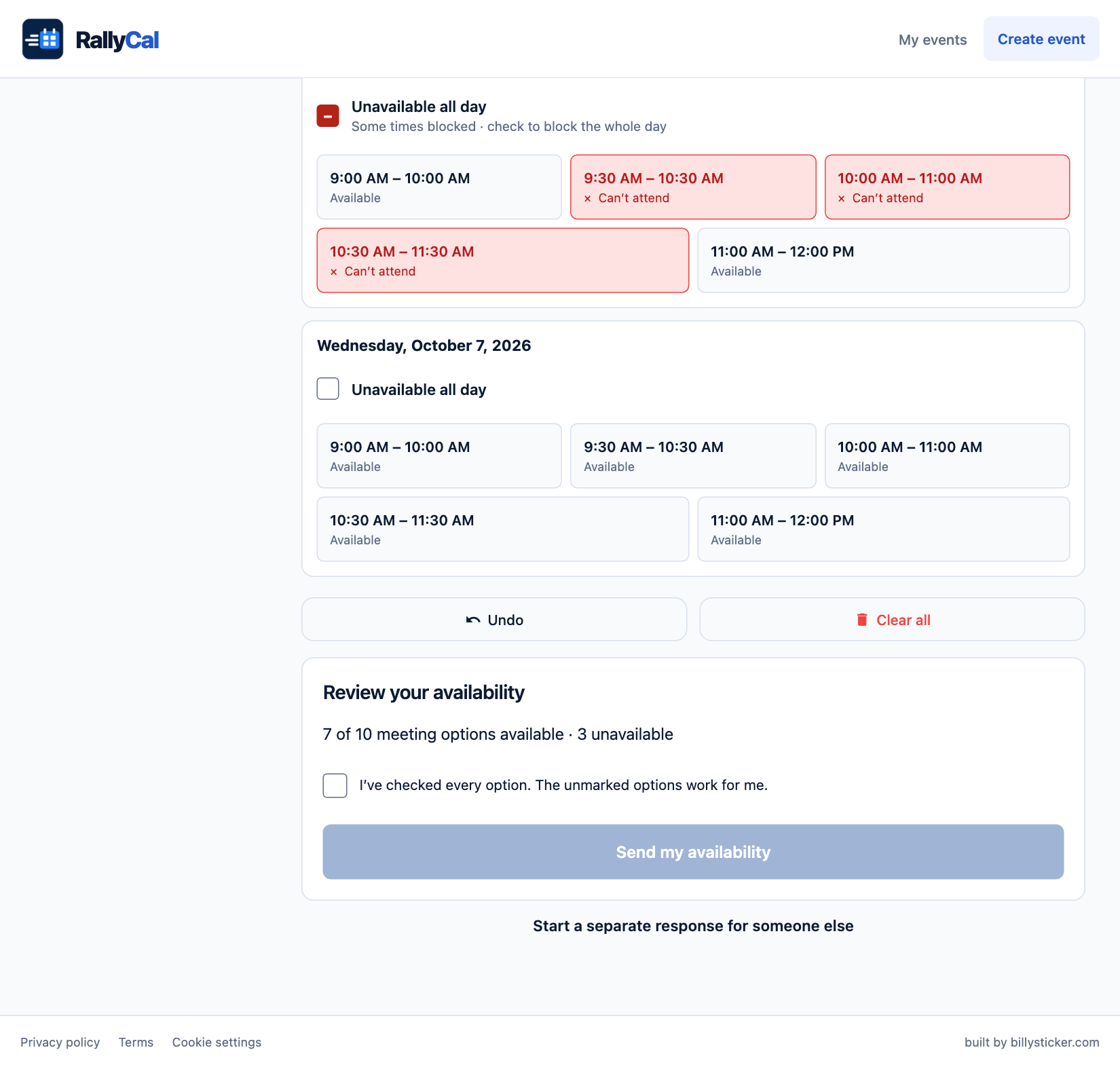
Example availability review with busy meeting times marked in red, available times left unmarked, and the Send my availability button.View full-size example ↗

For the organizer

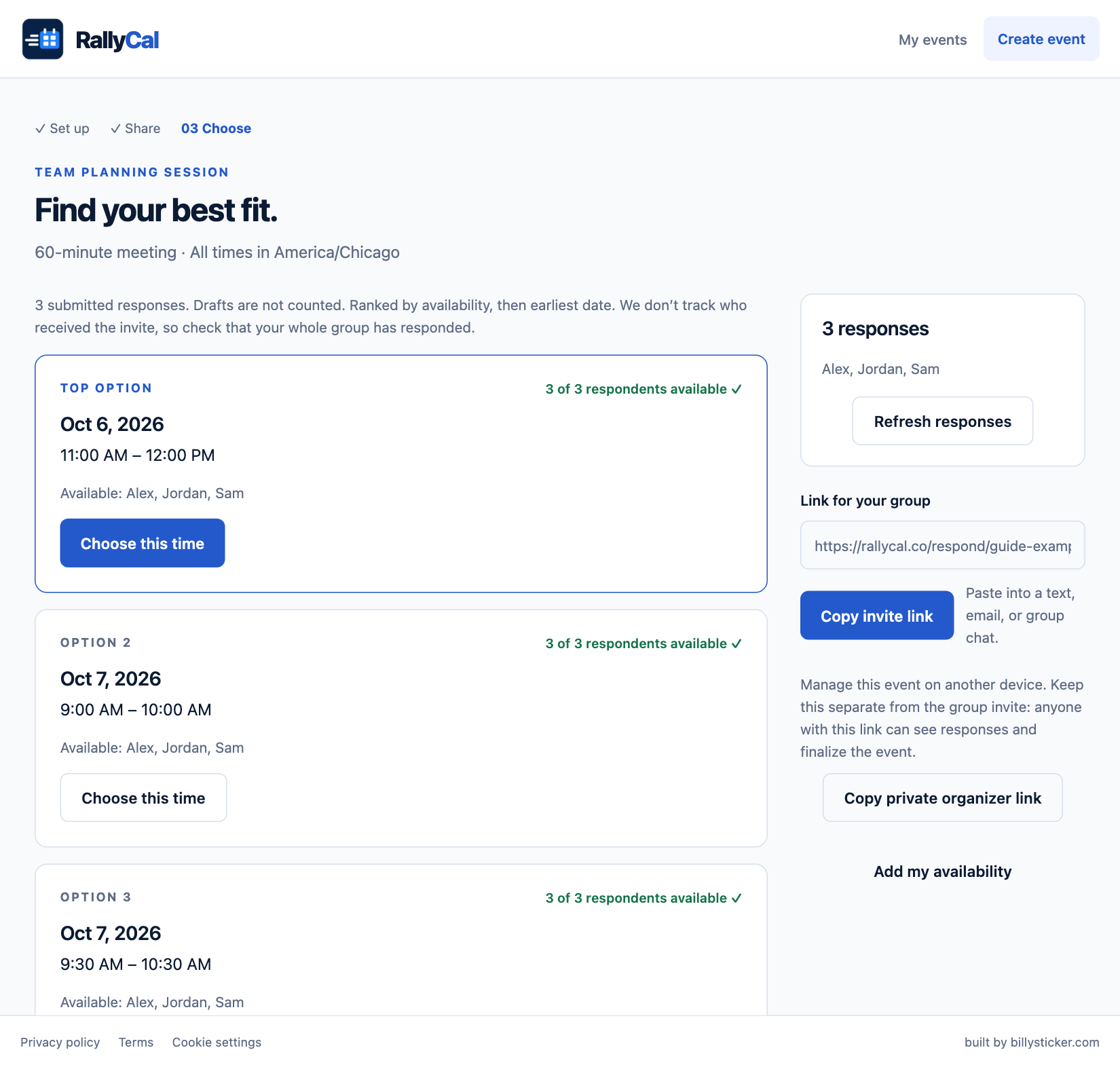
Find your group’s best fit.

Open your private organizer link to compare the ranked options. Check that everyone has replied, choose a time or date range, and confirm the plan.

Keep your organizer link private. Share the invite link with your group.

Example organizer results with ranked meeting times and the number of participants available for each option.View full-size example ↗

New to RallyCal? The illustrated guide walks you through every step.

Read the full guide →